How To Grant Access On UA/Google Analytics 3

How To Grant Access On UA/Google Analytics 3

How To Grant Access On UA/Google Analytics 3

Steps to Provide Access to UA/Google Analytics 3

See below the steps for providing managerial access to an email ID that your project manager will provide:

1. Log in to your Google Analytics account: (https://analytics.google.com/)

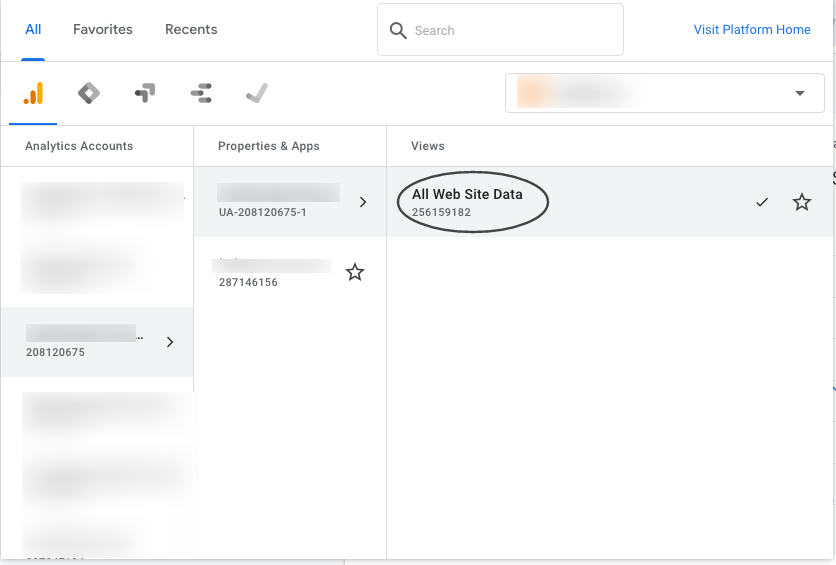
2. Search your .com (with the domain name or Google Analytics code)

3. Click on “All Website Data”
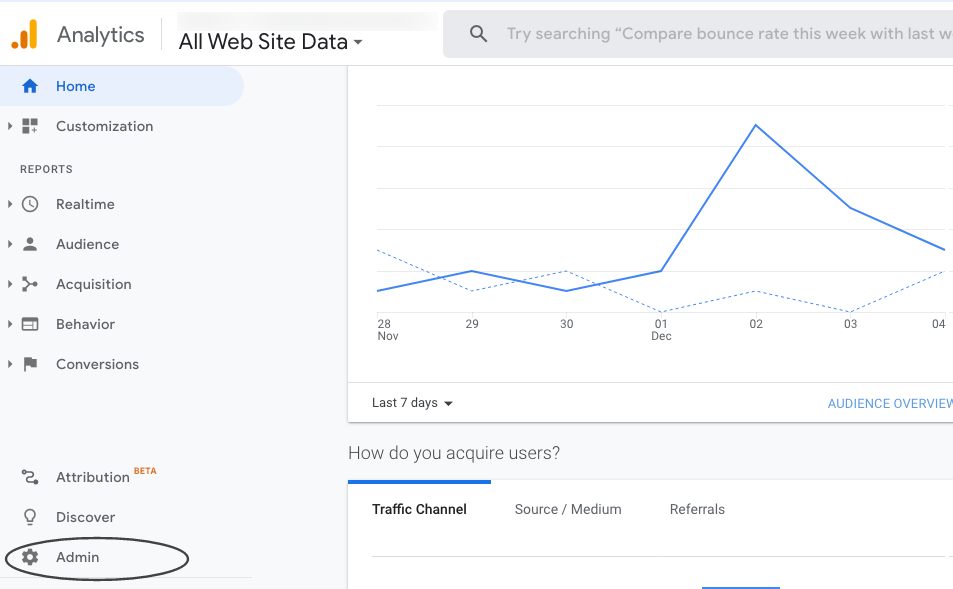
4. Click on “Admin”
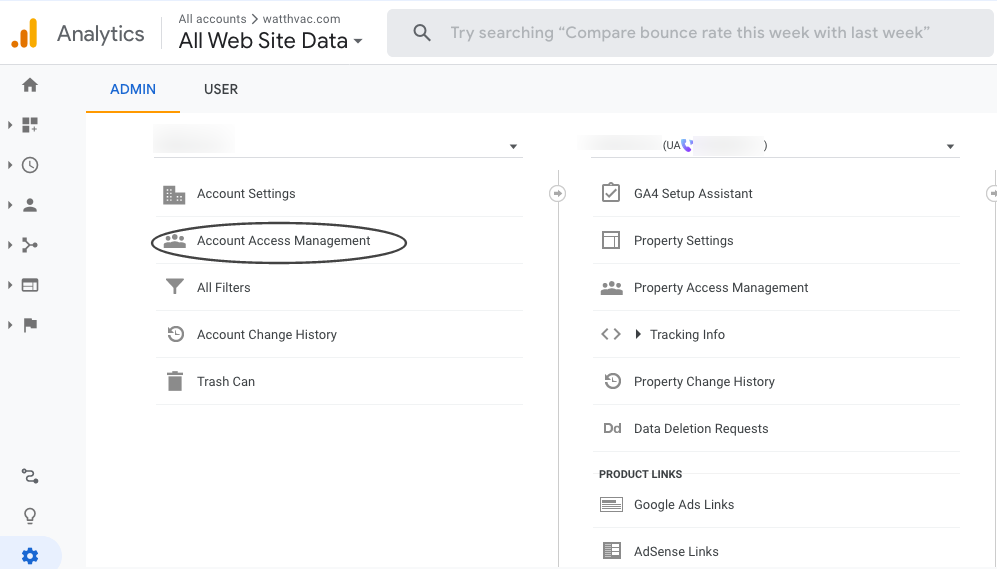
5. Click on “Account Access Management”
6. Click on “+” icon, choose “Add Users” and enter the email ID
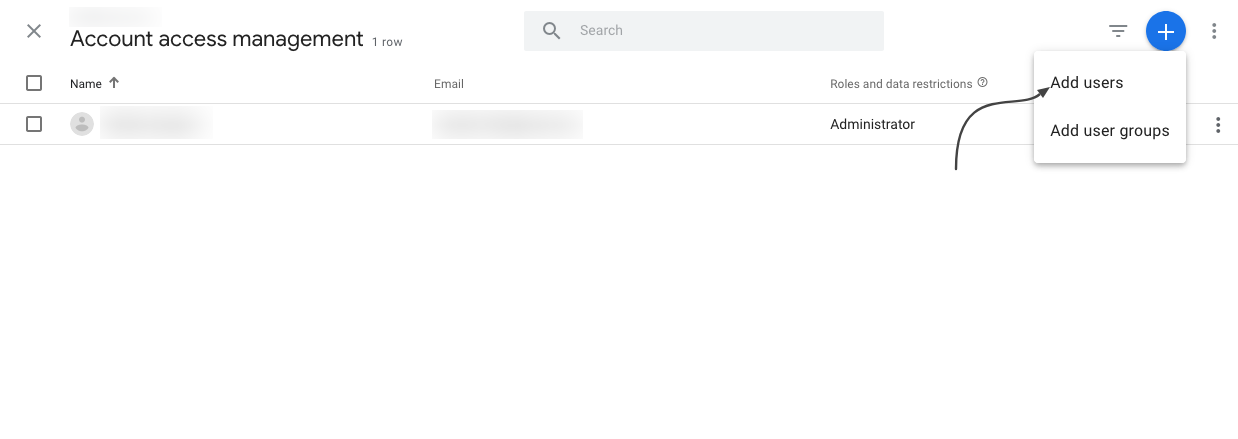
7. Full access should now be granted

For any questions, contact [email protected]

How to add a New User to WordPress?

How to add a New User to WordPress?

How To Add A New User (WordPress)

  1. Go to your WordPress admin page and log in to your website. If you’re not sure of your password, you can click “Lost Password” to reset it. There are more detailed instructions for resetting your WordPress password here.
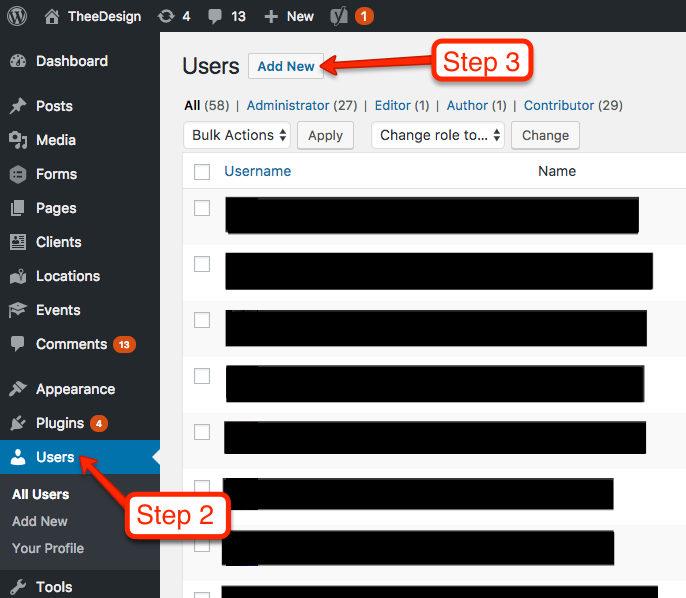
  2. Now that you’re in the WordPress dashboard, click on Users in the left sidebar.
  3. Towards the top of the screen, click Add New.
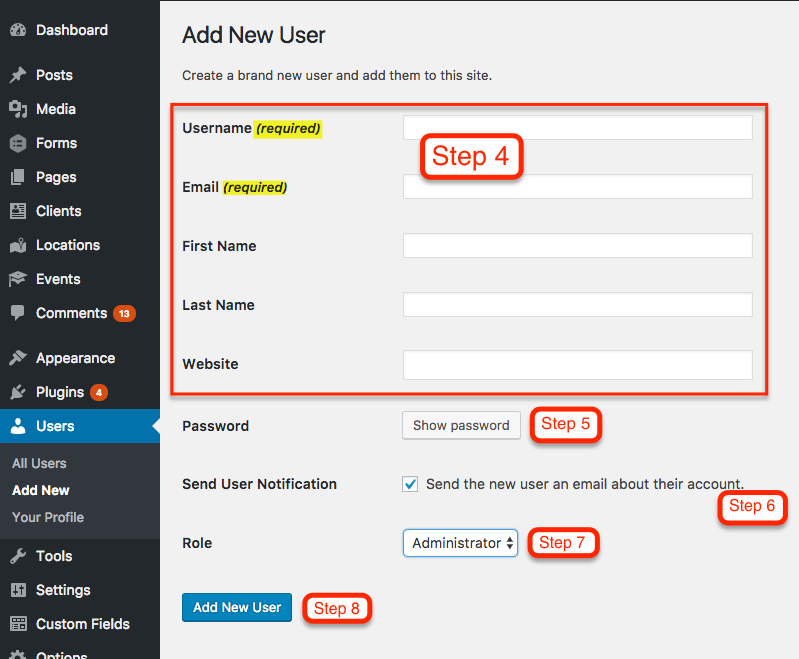
  4. Now you should be on the Add New User screen. Enter a username and email address for your new user. First name, last name, and website are optional.
  5. Enter a SECURE password for your new user. You can either use the one that WordPress randomly generates, or create your own. However, it’s important to use a secure password because hackers will try to use your login to compromise your website. Please choose a password with uppercase, lowercase, numbers and symbols.
  6. Keep the Send User Notification checked if you would like the new user to receive an email with their login information.
  7. Choose a Role for your new user. Administrator is the default and it gives the user access to all the features of the website.
  8. Click the Add New User button and you’re all set

How to provide full CMS Access (WordPress) — See point no.7

  • An administrator has full and complete ownership of a website, and can do absolutely everything. This person has complete power over posts/pages, comments, settings, themes, plugins, import, users – everything. Nothing is off-limits, including deleting everything.

Which tabs access we would require in CMS to do SEO work (WordPress)-

  • Ask the client to provide us full administrator rights. An administrator has full and complete ownership of a website, and can do absolutely everything.
How to grant access to Google Business Profile to an email ID?

How to grant access to Google Business Profile to an email ID?

Google Business Profile is a robust directory created by Google that presents results on the branded search of your business. Google trusts and prefers its platforms. Therefore, it presents those first in the search results, which is why it is so important.

This type of access will allow sharing management of the Google Business Profile location account with confirmed users. Adding owners and managers lets users share the management of a listing without having to share personal account information. We will link the Google Business profile to our SEO dashboard and share valuable insights. 

Below are the steps for providing managerial access to an email ID that your project manager will provide:

  1. Log in to Google Business Profile: (http://www.google.com/business/)
  2. In the top right corner, click on “Business Profile Setting.”

This will then open a window which will look like this:

  1. Click on people and access.

  2. From here, click add


  1. Enter the email address provided to you in your onboarding email and select manager.

Finally, click “invite”, and you are all set. Inform your project manager by responding to the onboarding email.