by admin | Oct 30, 2025 | Access Related Questions, Getting Started, Google, Google Properties, Onboarding MAD SEO, Uncategorized
How To Grant Access On UA/Google Analytics 3
Steps to Provide Access to UA/Google Analytics 3
See below the steps for providing managerial access to an email ID that your project manager will provide:
1. Log in to your Google Analytics account: (https://analytics.google.com/)
2. Search your .com (with the domain name or Google Analytics code)

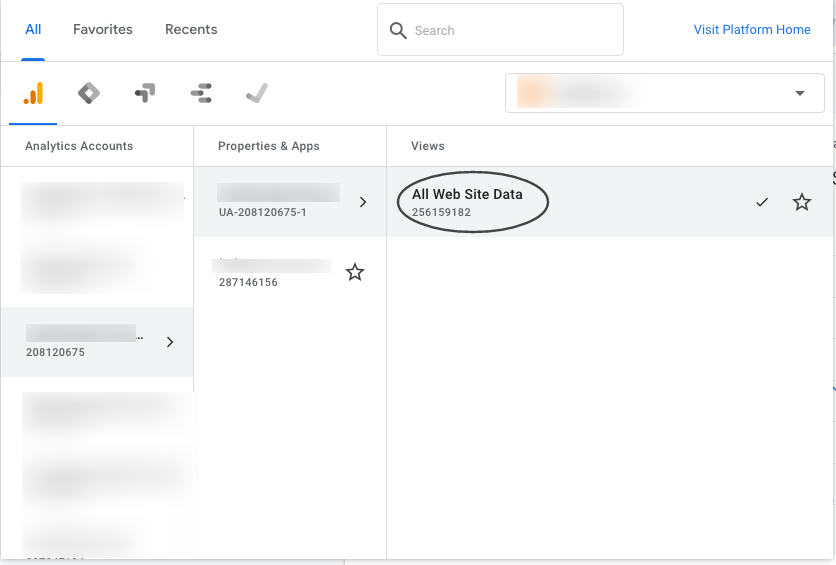
3. Click on “All Website Data”
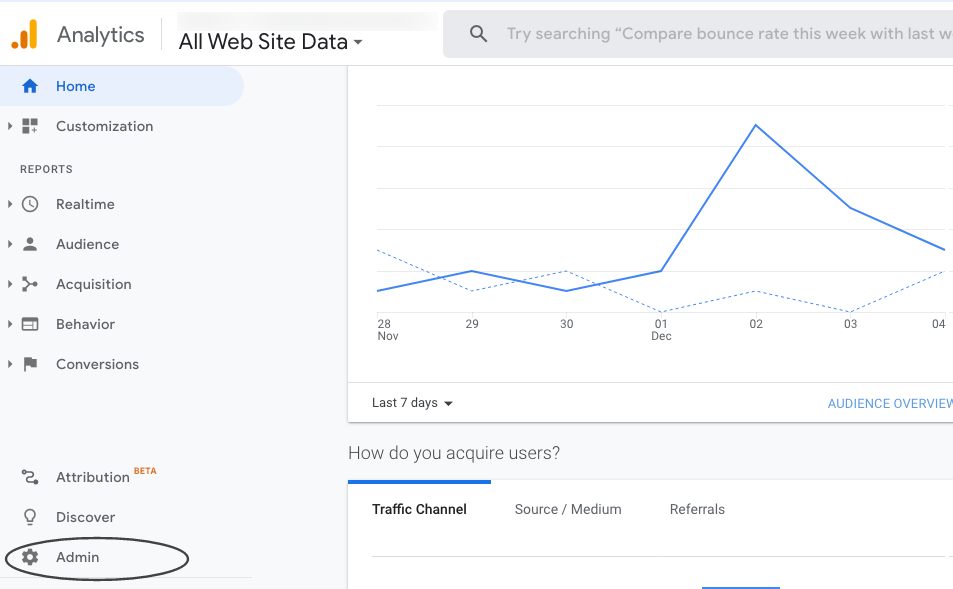
4. Click on “Admin”
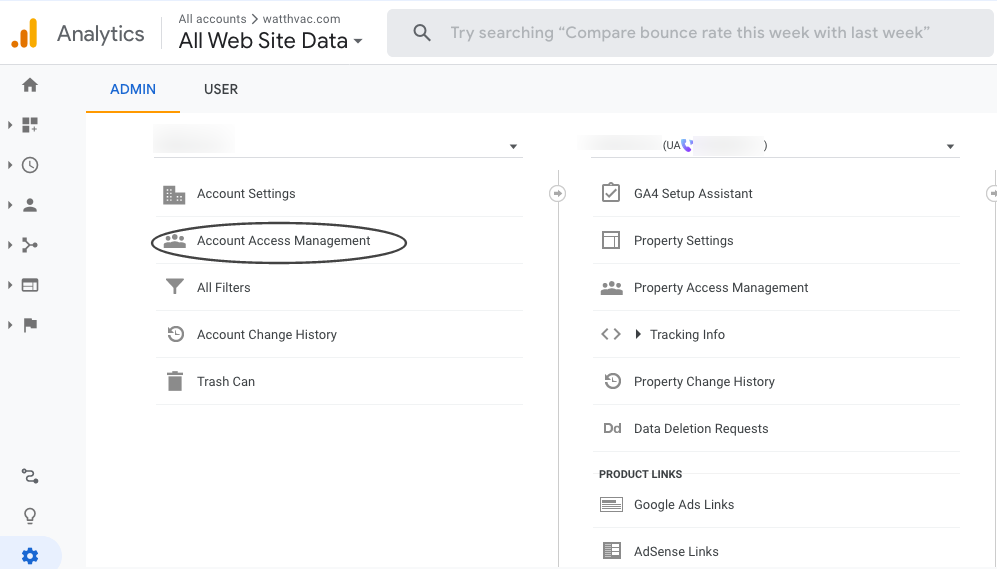
5. Click on “Account Access Management”
6. Click on “+” icon, choose “Add Users” and enter the email ID
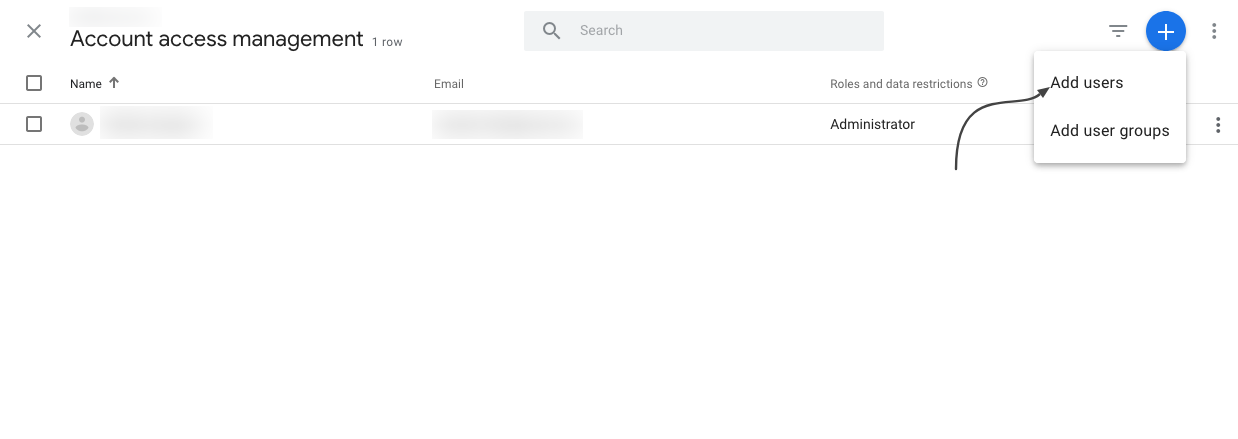
7. Full access should now be granted

For any questions, contact [email protected]
by admin | Oct 30, 2025 | Getting Started, Google, Google Properties, Onboarding MAD SEO
Steps to Provide Access to Google Analytics 4
Google Analytics 4 is replacing Universal Analytics. On July 1, 2023, all standard Universal Analytics properties will stop processing new hits. Alpha SEO is already aware of this change, and we are working to integrate this update into our dashboard.
Please follow the steps below to grant access to Google Analytics 4 (GA4) to the email ID that the project manager will provide.
1. Select the GA4 account

2. Select Admin

3. Go to Property —> Select GA4 Account —>

4. Click On Account Access Management

5. Click on the (Blue + right top corner) button and click on Add Users

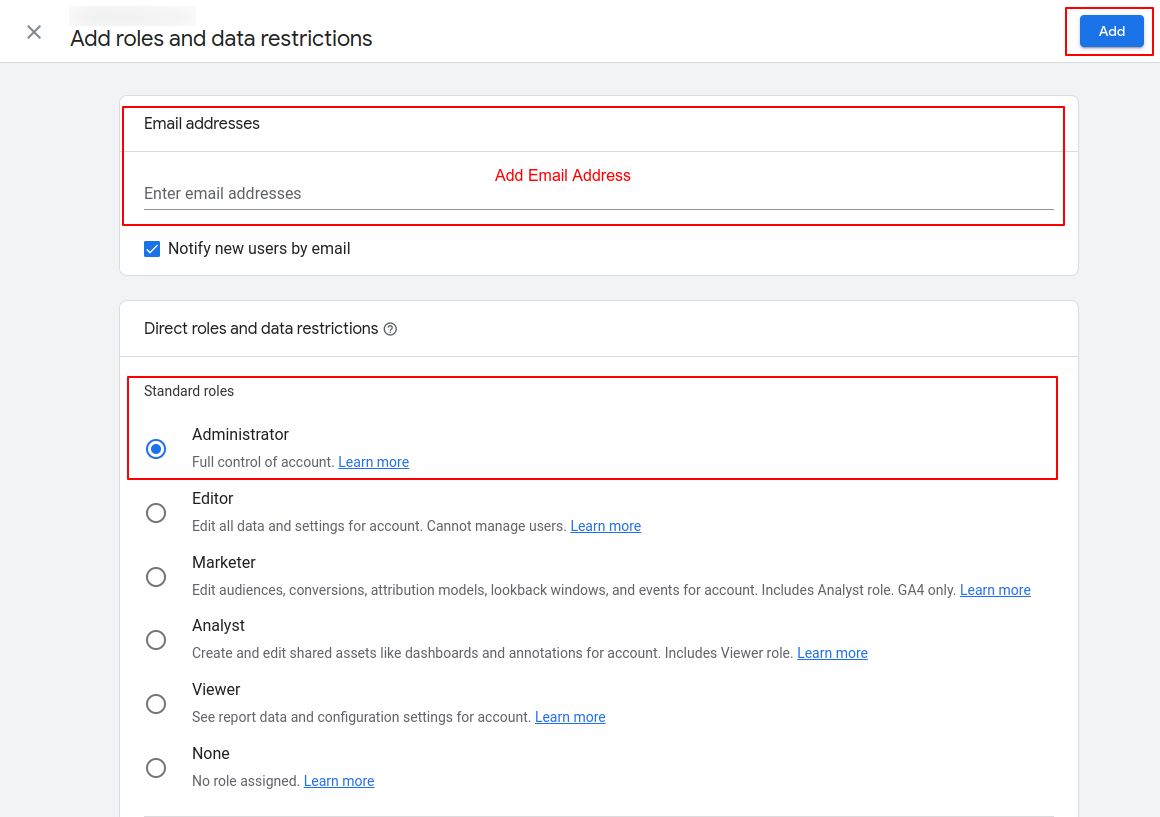
6. Add the Email ID, then select Administrator under Standard roles and click “Add”.

All set!
Please confirm with the project manager once this is done, and we will confirm access.
For any questions, contact [email protected]