How To Grant Access On UA/Google Analytics 3
Steps to Provide Access to UA/Google Analytics 3
See below the steps for providing managerial access to an email ID that your project manager will provide:
1. Log in to your Google Analytics account: (https://analytics.google.com/)
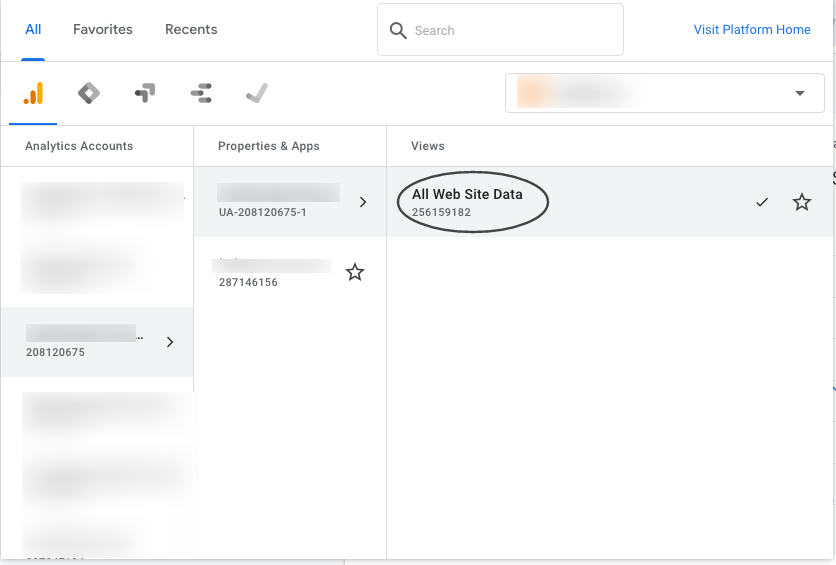
2. Search your .com (with the domain name or Google Analytics code)

3. Click on “All Website Data”
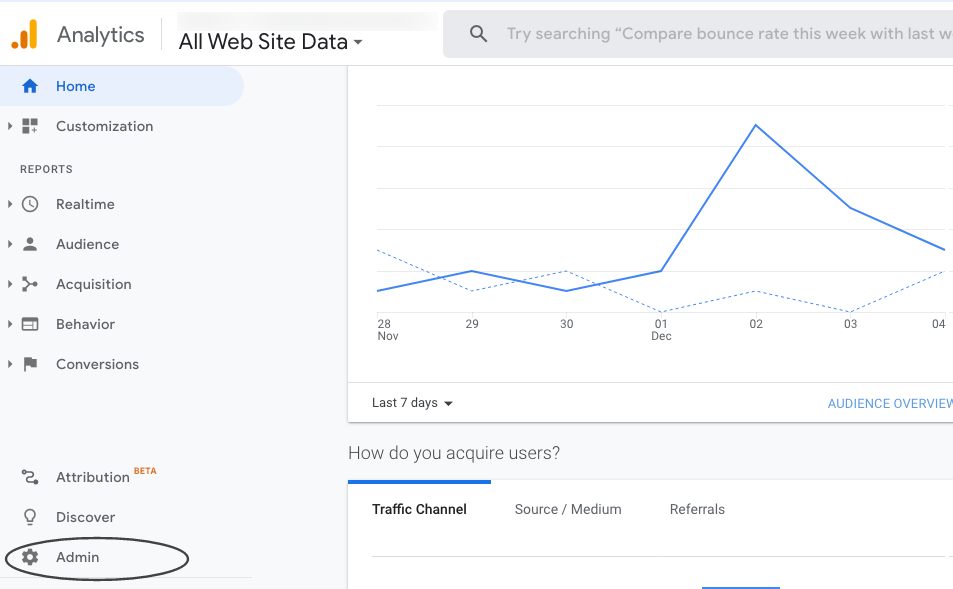
4. Click on “Admin”
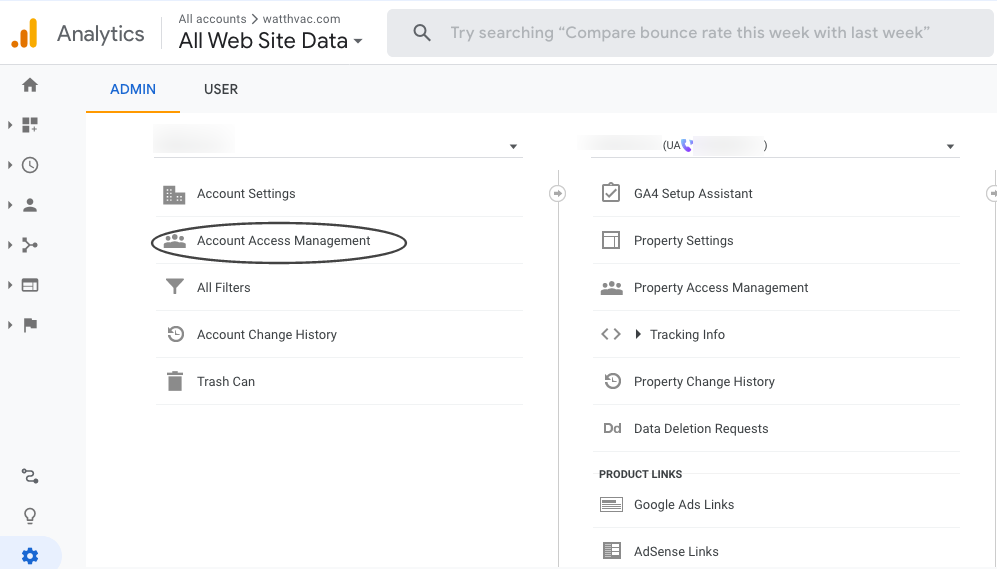
5. Click on “Account Access Management”
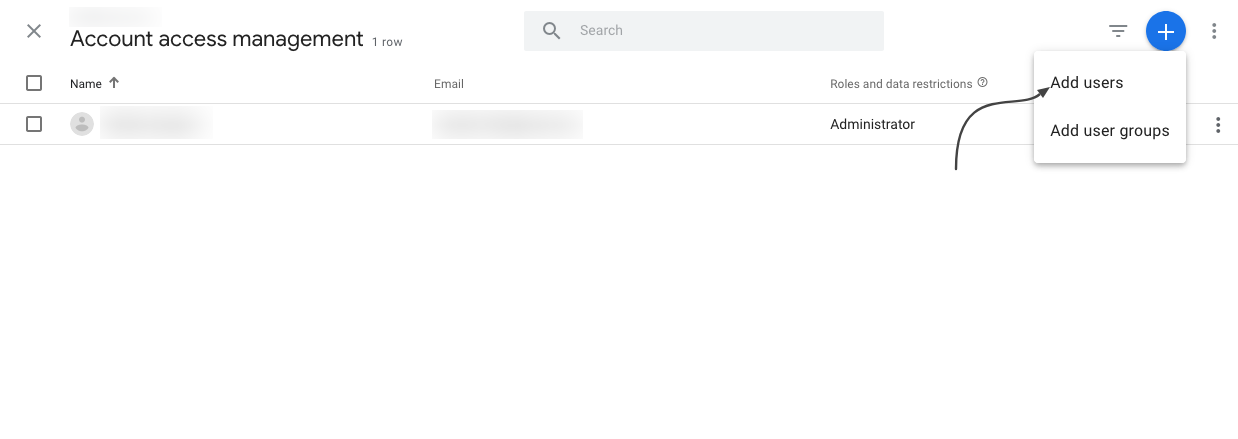
6. Click on “+” icon, choose “Add Users” and enter the email ID
7. Full access should now be granted

For any questions, contact support@madmonkey.media