Access and Permissions
Your Google review link: find it and share it
Copy your Google review link and share it with guests, the right way.
Updated 2026-11-18
Your Google review link opens the review box for your business in one tap. Guests who had a great visit are happy to leave a review when it is that easy.
Find your link
- Sign in to Google with the account that manages your Business Profile, and search your business name on Google.
- In your profile panel choose Ask for reviews (it may say Get more reviews).
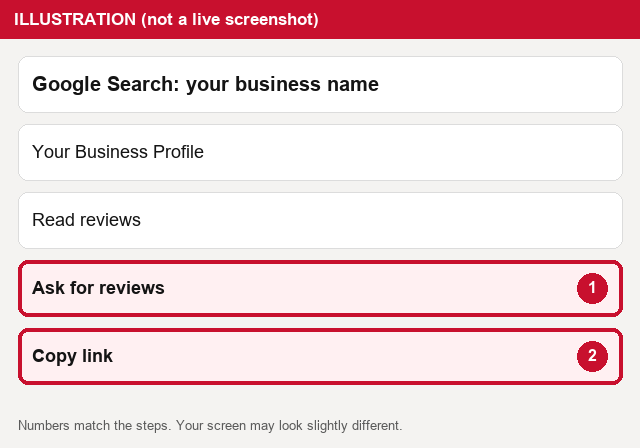
RV-01: Business Profile panel with Ask for reviews and Copy link. Illustration for guidance (not a live screenshot). - Click Copy link. Send it to us too; we add it to your Biz App, emails and QR codes.
Share it the right way
- Text or email it after a great visit, while the meal is fresh.
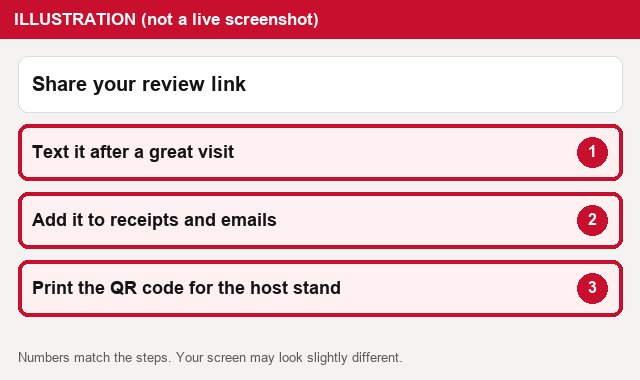
RV-02: Ways to share your review link. Illustration for guidance (not a live screenshot). - Add it to receipts, follow-up emails and your website.
- Put the QR code we make for you at the host stand or on table cards.
Rules that protect your profile
- Ask every guest the same way. Do not offer discounts, drinks or gifts for reviews, and do not ask only happy guests.
- Staff and family should not review the business.
- Yelp does not allow asking for reviews at all. Use your Google link only.
- We reply to reviews in your voice; you approve the tone first.
Official Google help
Rather do it together?Call us and we will walk you through it in a few minutes.
Call 1 (800) 858-1639Was this helpful? Send feedback