Access and Permissions
Yelp and review sites: add us as a user
Add us as a user on Yelp for Business, and on TripAdvisor or your industry review sites if you use them.
Updated 2026-11-18
To reply to reviews and keep your details right where customers decide, we need user access on the review sites that matter for you. We list them at kickoff. Yelp is the most common.
Who to add: miguel@madmonkey.media (MAD Monkey Media). Our access request comes from Juan at support@madmonkey.media (client support), with Miguel on copy.
Time: about 3 minutes.
Before you start: claim your business on Yelp first if you have not (biz.yelp.com). We never post reviews or ask anyone for a review in exchange for anything.
We never need your password or the 6-digit codes your phone gets. You add us as a user, and you can remove us at any time.
Video walkthroughA short video is coming here soon. Until then, follow the steps and pictures below.
Yelp for Business
- Sign in at biz.yelp.com. Open Account settings (your name at the top right).
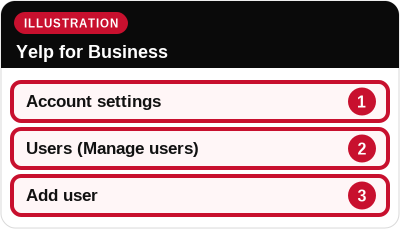
YL-01: Yelp for Business account settings, Users, Add user. Drawing for guidance; your screen may look a little different. - Under Users, click Add user, enter miguel@madmonkey.media and choose the role that can reply to reviews and edit business info.
TripAdvisor and industry sites
On TripAdvisor, sign in to the Management Center, open Manage users (under your account) and invite our email as a user. For other sites, look for Users, Team or Managers in account settings; if a site only allows one login, tell us and we find another way.
How to know it worked
Each site shows our email as a user. We reply to new reviews within 2 business days, in your voice.
Official help
Back to Start here: your onboarding checklist.
Rather do it together?Call us and we will walk you through it in a few minutes.
Call 1 (800) 858-1639Was this helpful? Send feedback