Access and Permissions
Grant access to your Google Business Profile
Add the email your project manager gives you as a Manager on your Google Business Profile.
Updated 2025-07-02
Your Google Business Profile is what Google shows when people search for your business. Adding us as a manager lets us manage and report on it without you sharing your password.
- Sign in to google.com/business.
- At the top right, choose Business Profile settings.
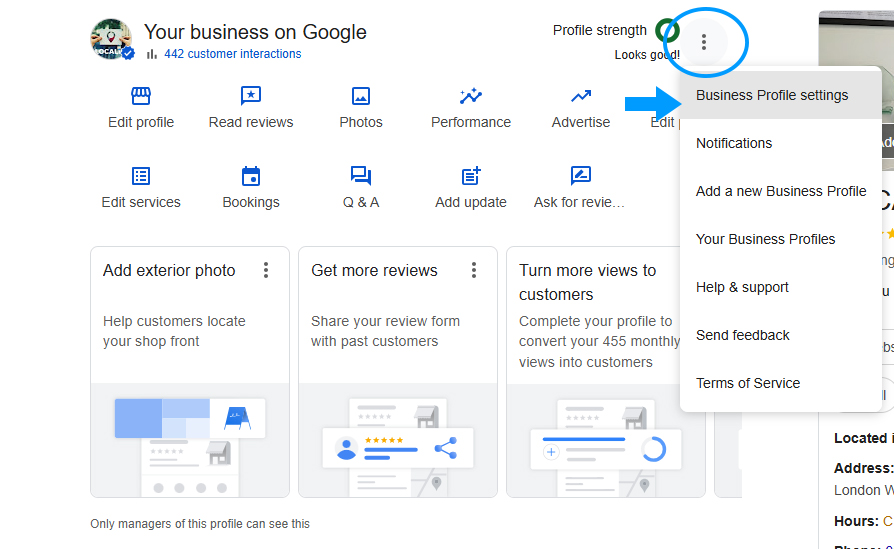
- A settings window opens.
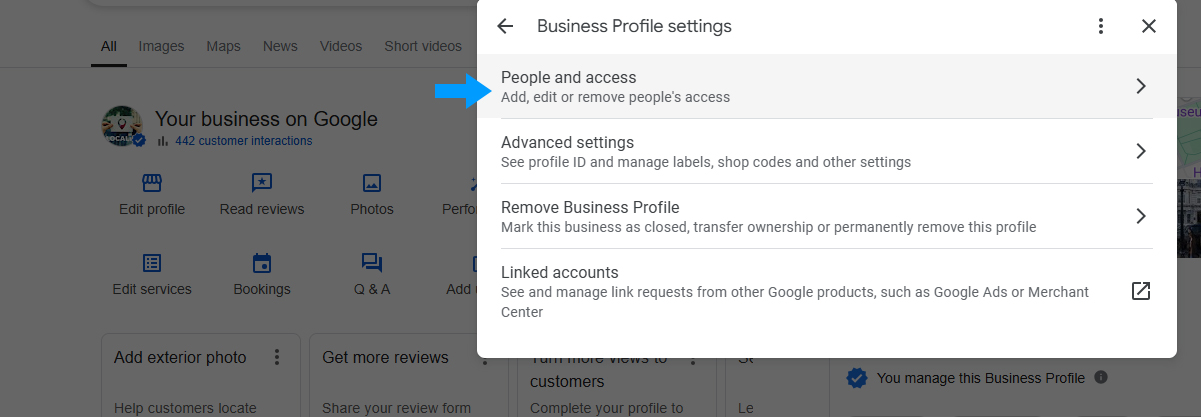
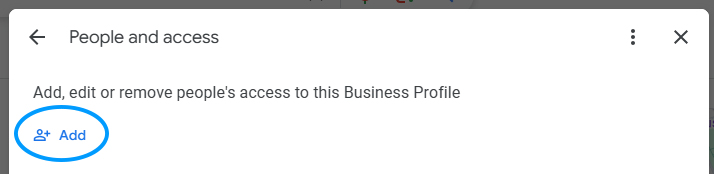
- Choose People and access, then Add.
- Enter the email address from your onboarding email and select Manager.
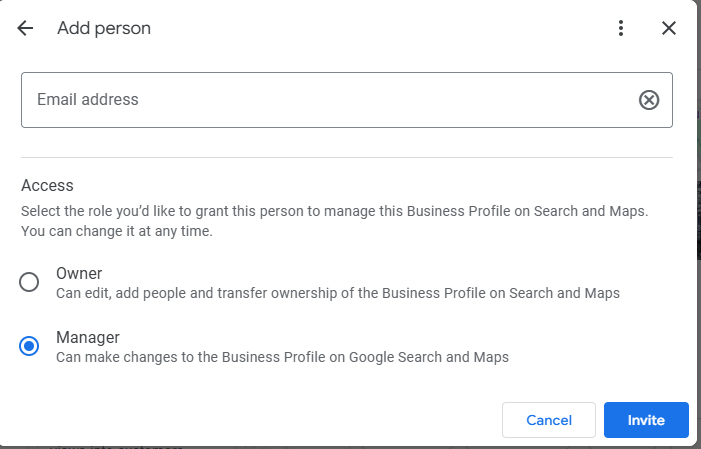
- Choose Invite.
Then reply to your onboarding email so your project manager knows it is done.
Was this helpful? Send feedback