Website on SpotOn: approve us with SpotOn and add our tracking code
SpotOn keeps code and settings locked, so you email SpotOn once to approve us and add our tracking. Here is how, with a ready-to-send email.
Updated 2026-11-18
If SpotOn built your restaurant website, SpotOn's website team hosts it and gives you an editor login. You can change text, photos, buttons and pages yourself, but SpotOn keeps the layout, custom code and site settings locked; those changes go through SpotOn's website support. So the fastest way to get our tracking on your site is a short email from you to SpotOn approving us. About 5 minutes.
Step 1: find your website editor
- Sign in at dashboard.spoton.com (or go straight to website.spoton.com). SpotOn suggests Google Chrome.
- Hover over the left menu, choose Account & Settings at the bottom, then Website.
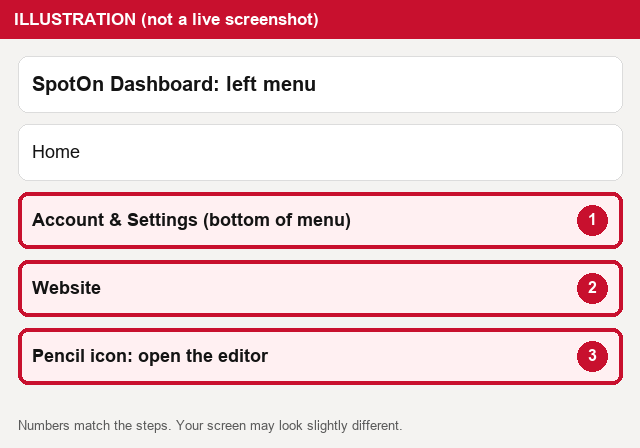
SP-01: SpotOn dashboard menu with Account and Settings, then Website. Illustration for guidance (not a live screenshot). - Click the pencil icon to open your site in the editor. If SpotOn set your site up with a Webflow editor login instead, sign in there, pick your site, and open the Editor.
- Cannot sign in? Use Forgot Password on the login page, or call SpotOn website support at (877) 814-4102.
Knowing which editor you have helps us plan. Tell us on the onboarding call or reply with a screenshot.
Step 2: email SpotOn to approve us and add our tracking code
Send this from the email address on your SpotOn account to support@spoton.com, and copy us at miguel@madmonkey.media. We send you the tracking code first; attach it or paste it under your message.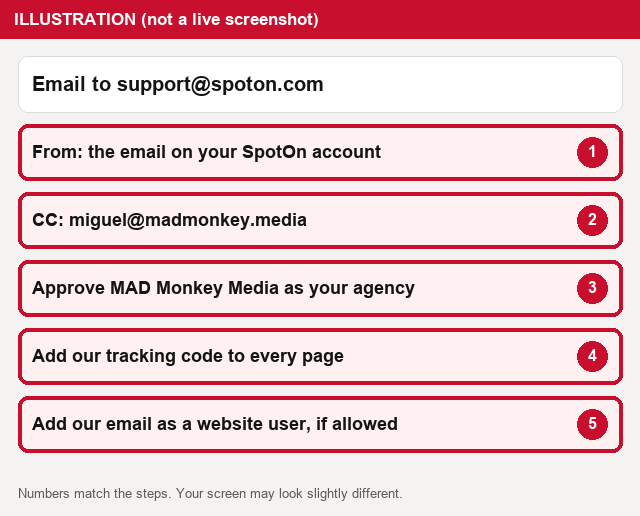
Subject: Website: please add our agency's tracking code
Hi SpotOn Website team,
I own [your business name] ([your website address]). I approve MAD Monkey Media (miguel@madmonkey.media, copied here) as our marketing agency. Please:
1. Add the Google Tag Manager code below to every page of our website (head and body), and publish.
2. Add miguel@madmonkey.media as a user or editor on our website, if our plan allows it.
3. Tell us where our domain is registered and whether SpotOn holds it.
You may reply to both of us. Thank you,
[your name], [your phone]
Step 3: what you can still do yourself
- In the editor, click any text, photo or button to change it. Use Pages and Collections in the bottom bar for page settings and menu or event items.
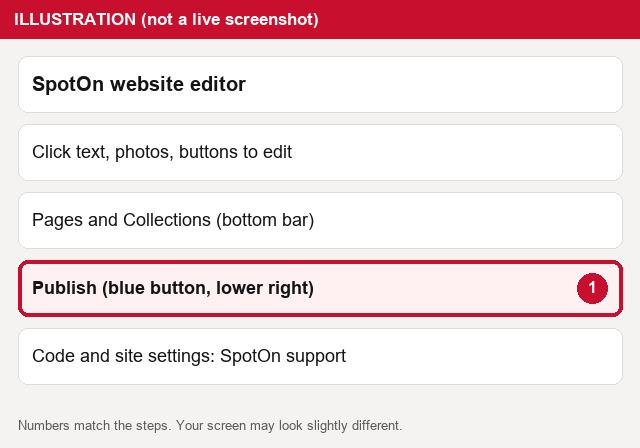
SP-03: SpotOn website editor: what you can edit and the Publish button. Illustration for guidance (not a live screenshot). - Click the blue Publish button at the lower right. Nothing goes live until you publish.
- If we ask you to fix a link or a button for an ad, we send the exact change; you make it and publish, or we do it together on a call.
Prefer to do it together?
On the onboarding call you sign in to your SpotOn editor yourself and share your screen; we guide each change. Please do not send us your SpotOn password.
Your domain on SpotOn
- If you bought your domain through SpotOn, SpotOn's FAQ says SpotOn holds it while you use its website service and releases it to you on request if you leave.
- A domain registered or transferred in the last 60 days cannot be transferred yet (an industry rule).
- If you bought it somewhere else (GoDaddy, Namecheap and so on), see Domain and DNS.
- Planning to move your website off SpotOn later? Do not cancel SpotOn or move the domain on your own; we plan the switch with you so your site and email stay up.
Website not on SpotOn?
On WordPress, follow Add a new admin user to WordPress. On another website builder, reply with its name and we send the right steps, or call us.
Official SpotOn help
- Accessing the Website Editor
- Editing your Website
- SpotOn Website FAQ (editor access, revision rounds, domains)
- SpotOn website support: support@spoton.com, (877) 814-4102